

Tessera
Tessera is a Hugo theme designed with content creators in mind but like any Hugo theme, it can be used for blogs, documentation, personal websites, or anything in between.
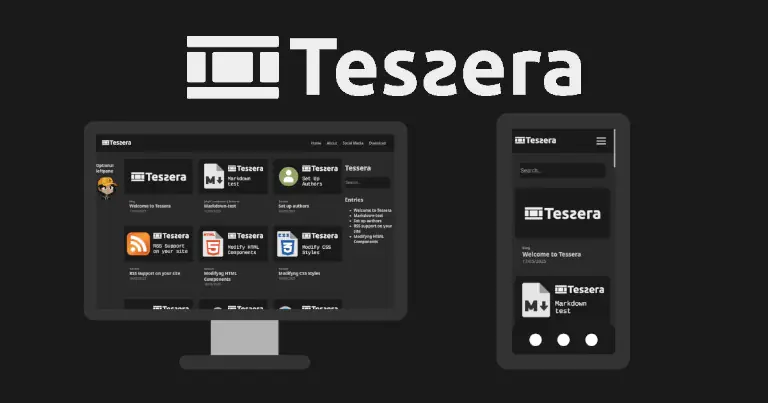
Tessera features three main components: two side panels and a central content area. The theme is highly modular, allowing you to easily customize any component by overriding partial templates.
Example
See the Jekyll demo pages for a visual reference:
- Tessera example page vanilla layout
Real pages made with Tessera for Hugo
- Real-world blog example Blog (Spanish)
- Real-world blog example Personal portfolio
The Hugo version follows the same design philosophy and layout structure as Jekyll version.
Installation
Option 1: Git submodule (recommended)
Inside your Hugo site:
cd themes
git submodule add https://codeberg.org/ItsZariep/Tessera tessera
Then update your hugo.toml:
theme = "tessera"
Option 2: Manual install
Download or clone this repository into your Hugo site’s themes directory:
themes/tessera
Then enable it in hugo.toml:
theme = "tessera"
Project Structure Overview
Tessera uses Hugo layouts and partials to mirror the modular design of the original theme:
layouts/
  partials/
    toppane.html
    leftpane.html
    postgrid.html
    postcontent.html
    userbox.html
    rightpane.html
    searchbar.html
    bottompane.html
Each component can be overridden by copying it into your project’s layout folder.
Content Types: Posts vs Chapters
Tessera supports two primary index styles:
Posts
Ideal for blogs or date-driven content.
Your homepage (content/_index.md):
title: Home
indextype: posts
Chapters
Useful for books, structured documentation, or grouped content.
title: Home
indextype: chapters
Chapters should include metadata:
title: Introduction
section: Web
order: 1
Hugo will automatically organize sections based on these values.
Search
Search is powered by Hugo’s JSON index.
The theme provides:
layouts/index.search.json
Ensure your site config includes:
[outputs]
home = ["HTML", "JSON"]
The included JavaScript (static/js/search.js) handles client-side filtering.
Social Media Preview
Place your preview image at:
static/preview.jpg
Set metadata in your page front matter:
image: /preview.jpg
Authors
Optional author support allows per-post attribution.
Setup
- Add author image:
static/img/authors/AuthorName.webp
- Create author page:
content/about/AuthorName.md
- Edit:
layouts/partials/authors.html
Example:
{{ if eq . "Tessera" }}
Cool Description
{{ else }}
Unknown Author
{{ end }}
- Use in front matter:
author: Tessera
Pagination
Pagination is built into Hugo.
In hugo.toml:
paginate = 9
The theme automatically uses:
partials/pagination-controls.html
Categories & Taxonomies
Hugo taxonomies replace Jekyll archives.
In hugo.toml:
[taxonomies]
category = "categories"
tag = "tags"
Layouts included:
layouts/taxonomy.html
layouts/term.html
Date Format
Customize display formatting:
[params]
dateFormat = "02/01/2006"
(Hugo uses Go time formatting.)
Social Links
Configure in hugo.toml:
[[params.social]]
name = "GitHub"
url = "https://github.com/yourprofile"
icon = "github"

[[params.social]]
name = "Twitter"
url = "https://twitter.com/yourprofile"
icon = "twitter"
Customizing Tessera
Layout Overrides
To customize components, copy any partial into your project:
layouts/partials/
Key components:
toppane.html(header)leftpane.html(navigation)postgrid.html(homepage grid)pagination-controls.htmlpostcontent.htmluserbox.htmlcomments.htmlrightpane.htmlsearchbar.htmlbottompane.html
Hugo will prioritize your version automatically.
Styles
Override styles without touching theme files:
static/css/custom.css
The theme loads this file after the main stylesheet.
License
This theme is open source under the MIT License.