

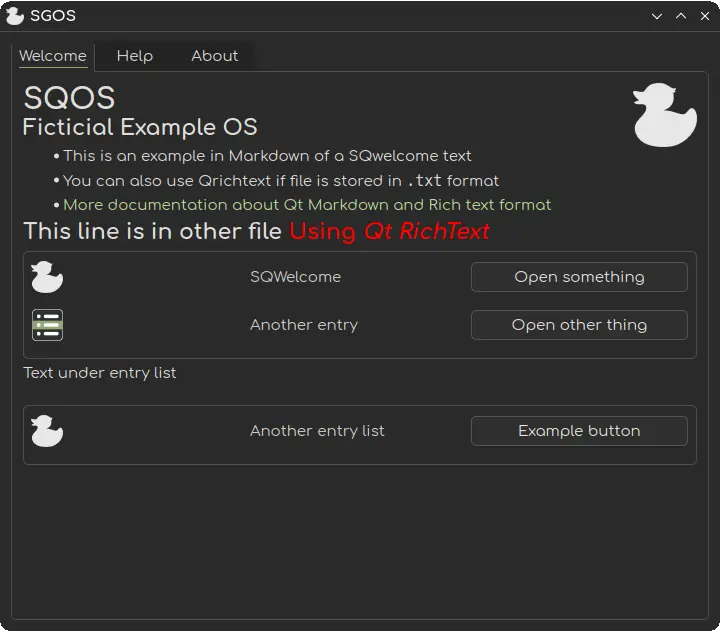
SQWelcome
A simple Qt Welcome application.
Create Welcome/Getting Started screens in a simple way.
Build
mkdir build
cmake ..
make
Usage
- Place
sqwelcome.confat/usr/share/sqwelcome/sqwelcome.conf. - Configure the program as you like (see options below) by editing
sqwelcome.conf. - Place pages in the
mainfolder(default:/usr/share/sqwelcome). You can useexampleto test and modify the program. The only knowledge required is Markdown and/or Qt RichText.
Settings
| Parameter | Type | Description | Default Value |
|---|---|---|---|
scrollable | Int | Determines if the window is scrollable | 0 |
windowtitle | String | Title of the window | DefaultTitle |
distrologo | String | Logo of the distribution | start-here |
mainfolder | String | Path to the main folder | /usr/share/sqwelcome |
tabposition | Int | Position of the tabs (0: Top, 1: Left, 2: Right, 3: Bottom) | 0 |
scaleimages | Int | Whether to scale images or not (does not affect inline images) | 0 |
imgscalesize | Int | Size of the scaled images | 96 |
showcomment | Int | Whether to show a comment tooltip on the entries | 1 |
windowsizex | Int | Width of the window | 720 |
windowsizey | Int | Height of the window | 600 |
winminx | Int | Minimum width of the window | 720 |
winminy | Int | Minimum height of the window | 600 |
listiconsize | Int | Size of icons in the entry list | 32 |
listitemsize | Int | Size of items in the entry list | 64 |